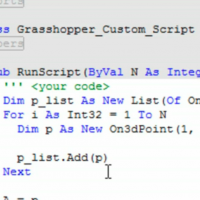
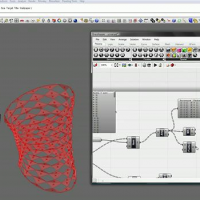
Generating a Spiral in Rhino’s Grasshopper Plugin

Monday, July 7, 2008 1:16
Parametric Spiral

You can leave a response, or trackback from your own site.

11 Responses to “Generating a Spiral in Rhino’s Grasshopper Plugin”

  1. Rhino Grasshopper - Making a Parametric Spiral | Design ReForm says:

    October 12th, 2008 at 5:34 pm

    [...] Grasshopper video on how to make a parametric spriral posted by Zack Downey on his new blog [...]

  2. Corrigbible says:

    October 15th, 2008 at 10:07 am

    Really Nice Tutorial. You really explained the concepts involved in generating the model. i think these principles are actually what i have problems grasping when using grasshopper. Still trying to wrap my head around it. Looking forward to more tutorials.. Thanks.

  3. evan says:

    November 7th, 2008 at 3:27 pm

    thanks, this was very helpful….

  4. af says:

    November 22nd, 2008 at 1:59 pm

    Amazing tutorial…thank you very much for the thorough explanation. I have been looking for a simple tutorial like this for a while now and finally found it. Thank you.

  5. ernchesto says:

    December 11th, 2008 at 5:21 am

    Thanks so much. Very helpful in my getting my head around this stuff.

  6. dee says:

    February 2nd, 2009 at 11:16 pm

    This is the first tutorial i watched and practiced… and my first try on Grasshopper.this tutorial is really helpful to understand basics of Grasshopper..
    Thanx..looking forward to more tutorials.

  7. Brooklyn BAt says:

    February 24th, 2009 at 6:24 pm

    Thank you for the tutorial but your voice is a pain in the anal to follow. I would rather you get straight to the point. i felt pain when trying to do this tutorial. Just wanted to tell you how i thought with out any fluff

  8. zach says:

    February 24th, 2009 at 7:39 pm

    wow. thanks. That was pretty brutal. I would hope I would get a little slack on the first tutorial but I guess not.

  9. Terry35 says:

    March 5th, 2009 at 2:06 pm

    Nice tutorial well explained. The pace was just perfect. I could duplicate the results, while I was watching and listening.

  10. cdd says:

    April 11th, 2009 at 4:09 am

    Thank you for the tutorial. You make it very hard to follow, however, with your slow pace and digressions all over the place. Move away from the mic to avoid breathy noises.

  11. Derek says:

    April 28th, 2009 at 11:31 pm

    haha @ some of the brutal comments… Zach you cannot please everyone… Awsome tutorial videos… without these videos most of us would be scratching our heads for a long time… keep it up .. hope to see more

Leave a Reply