Posts Tagged ‘Parametric’

Lecture at Live Architecture Network

Saturday, March 28, 2009 0:33 1 Comment

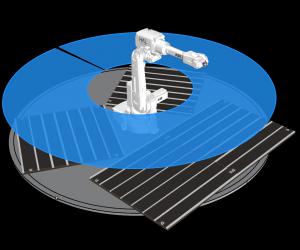
I’ll be giving a lecture on Thursday April 16th at the LaN-ON-SITE Archeography IV Rhino/Grasshopper Workshop in Brooklyn.  You can find out more on LaN’s Website and see the other lectures in the series.
I would like to thank James from Brooklyn’s LaN for inviting me to participate in this amazing gathering of designers.

This was posted under category: Grasshopper, Lecture, Parametric, Rhino, fabrication Tags: , , , , , ,

Responsive Components

Thursday, January 22, 2009 1:27 5 Comments

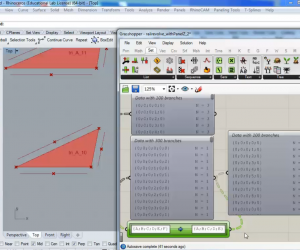
I did this tutorial in response to a question by phittus on the designalyze forum.  The question was:
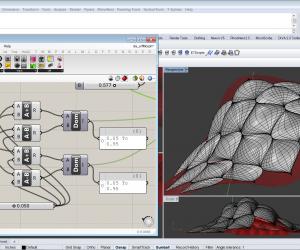
“the components ZACH was using in the Component Generation using the Surface Box and Box Morph Components-tutorial, are fixed ones, they don’t change themselves according to any “third” parameter. in my case i’ve got an “performative” component, whose height, opening [...]

This was posted under category: Forum, Grasshopper, Parametric, Rhino, Tutorial Tags: , , , ,

Creating a Running Bond Brick Patterned Surface Using Rhino’s Grasshopper

Wednesday, November 26, 2008 1:23 11 Comments

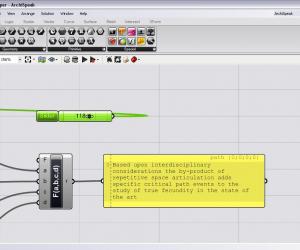
This tutorial explains how to create a running bond brick patterned surface.  The surface can then be manipulated using the CageEdit command in Rhino.  This is a great tool for quickly generating design intent prior to taking a much more rigorous approach and setting more parameters on the brick.  This also adds a slider component that [...]

This was posted under category: Architecture, Grasshopper, Parametric, Pattern, Rhino, Tutorial Tags: , , , , , ,

Creating Surface Patterns Using Bump Maps Created in Photoshop as an input parameter in Rhino’s Grasshopper

Tuesday, November 18, 2008 3:28 10 Comments

This tutorial describes how to create patterns on a surface using bump map images from Photoshop as control surfaces for the patterns.  First, bump maps are created in Photoshop and imported into Rhino using the HeightField command.  These are then referenced in the grasshopper file to control the size of the circles that make up the [...]

This was posted under category: Adobe, Architecture, Grasshopper, Parametric, Pattern, Photoshop, Rhino, Tutorial Tags: , , , , , ,

Grasshopper 0.5.0090 Download

Tuesday, November 4, 2008 17:14 No Comments

New Version of Grasshopper available!

Get it here:
http://download.rhino3d.com/download_rel.asp?rel=400
New features: 
- Reworked interface icons and display modes 
- Reworked Graph Mapper interface (old graphs won’t load, the 
discrepancy was too big, sorry) 
- Improved Graph Editor dialog 
- New Gradient Control 
- Automatic data casting from Colour to Points and Vectors added 
- New mutable code lines in VB and C# script components which [...]

This was posted under category: Grasshopper, Parametric, Rhino Tags: , , ,

Populating a Surface with Polygons Extruded to a Point

Monday, October 27, 2008 0:37 10 Comments

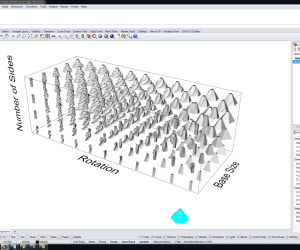
In this tutorial we will create a surface that is controlled with a cage edit modifier.  Then using Grasshopper we will populate that surface with polygons.  You will be able to control the number of sides of the polygons through a slider.  These polygons will be extruded to a point and that extends normal to [...]

This was posted under category: Architecture, Grasshopper, Parametric, Pattern, Rhino, Tutorial Tags: , , , , , ,

Twisting Tower Using Rhino’s Grasshopper

Sunday, October 19, 2008 18:24 1 Comment

This tutorial explains how to create a parametric tower.  You will be able to adjust the tower’s height, incremental rotation, overall radius, or incremental radii to make it tapered.  

This was posted under category: Architecture, Grasshopper, Parametric, Rhino, Tutorial Tags: , , , , ,